WaniKani vs jpdb.io: Which Kanji SRS Is The Best?
If you’ve spent any time in Japanese learning communities recently, you’ve noticed jpdb.io coming up more often from learners who started on WaniKani and switched, or who looked at WaniKani’s price tag and went looking for alternatives.
The comparisons you’ll find in forum threads tend to focus on cost and card counts. That’s the wrong frame. WaniKani and jpdb.io are built on fundamentally different ideas about what motivates people to study kanji consistently over months and years, and the method that keeps you showing up every day is the one that actually works, regardless of which one is objectively superior on paper.
Here’s the full comparison, starting with the philosophy.
Table of Contents
1. The Core Philosophical Difference
WaniKani answers the question: what kanji should I learn, and in what order?
jpdb.io answers a different question: what kanji and vocabulary appear most in the content I actually want to consume?
WaniKani makes all the decisions for you. It has a fixed curriculum: 60 levels, a predetermined kanji order, a specific set of vocabulary words, and you progress through it on a schedule the platform controls. The implicit promise is that if you trust the system and follow it, you’ll end up with a solid, broadly applicable kanji foundation.
jpdb.io gives you a database of over 280,000 Japanese words with frequency rankings drawn from specific media (anime, manga, visual novels, novels, etc) and lets you build an SRS (spaced repetition system) deck around whatever you actually want to read or watch.
Want to understand Attack on Titan? jpdb has a frequency list for it. Working through a specific light novel? Same. The implicit promise is that studying words you’ll immediately encounter in real content is more motivating and more efficient than studying a curated curriculum you may never connect to anything you enjoy.
Both promises are real. The one that resonates with how you actually study is the one to act on.
2. What Is WaniKani?
WaniKani is a web-based SRS application built by Tofugu, covering 2,000 kanji and approximately 6,000 vocabulary words across 60 levels.
The system works in three layers:
- Radicals: Simplified building blocks with their own mnemonics, introduced first
- Kanji: Taught using those radicals, with mnemonics for both meaning and primary reading
- Vocabulary: Real words using the kanji you’ve learned, reinforcing readings in context
Everything runs on WaniKani’s proprietary SRS schedule. You cannot move faster than the system allows, there’s a hard speed limit built in, with each item needing to pass through multiple review stages before it’s considered learned. At maximum pace, reaching Level 60 takes around twelve months. The average learner takes two to three years.
WaniKani is polished, well-maintained, and has a large active community. The mnemonics are consistent and often memorable. The gamified level progression (complete with level-up notifications and a visible percentage bar) provides a motivational structure that Anki’s blank interface doesn’t.
3. What Is jpdb.io?
jpdb.io is a free web-based Japanese vocabulary and kanji database with a built-in SRS, launched around 2021 and growing rapidly in adoption since then. It was built by a single developer and has a more utilitarian interface than WaniKani, functional rather than polished, but increasingly feature-complete.
jpdb’s core feature is its media frequency lists. The platform has analyzed thousands of pieces of Japanese media (anime, manga, visual novels, novels, games, etc) and calculated which vocabulary words appear most frequently in each one. You can search for any title in its database, see the full vocabulary breakdown, and add those words to your SRS deck in frequency order.
This means a learner who wants to read a specific manga series can study exactly the words that appear in it, not a generalized curriculum, but a targeted preparation deck for that specific content.
jpdb also has a general frequency list (vocabulary ranked by how often they appear across all its indexed media), which functions similarly to WaniKani’s curriculum for learners who don’t have a specific content target in mind.
The SRS itself is comparable to WaniKani’s in terms of how it schedules reviews. The interface is plainer, and there are no mnemonics provided by default, you create your own or rely on recognition alone.
jpdb.io is free for core features, with an optional supporter tier.
4. Kanji and Vocabulary Coverage
WaniKani covers 2,000 kanji and 6,000 vocabulary words. The kanji set is close to the full joyo kanji, the 2,136 characters considered standard for adult literacy in Japanese. The vocabulary words are chosen to reinforce the kanji readings rather than to represent the most commonly occurring words in real Japanese.
jpdb.io has a database of over 280,000 Japanese words, which is significantly larger than WaniKani’s vocabulary set. Kanji coverage is implicit rather than structured: you learn kanji as they appear in the vocabulary words you study, rather than being taught kanji as standalone items with explicit meaning mnemonics. This is the same approach used in most traditional Japanese education, so kanji emerge from vocabulary exposure rather than being studied in isolation first.
The practical consequence: WaniKani learners explicitly know the meaning of a given kanji even when they encounter it in an unfamiliar word. jpdb learners know words deeply but may have less systematic awareness of individual kanji meanings outside of the words they’ve studied.
5. Learning Order: Curated vs Content-Based
This is the sharpest practical difference between the two tools.
WaniKani’s learning order is fixed and non-negotiable. The first kanji you study are chosen by Tofugu based on their radical complexity, not by JLPT level, not by frequency, not by what you personally want to read. You can’t skip ahead, and you can’t reorder the curriculum. Some WaniKani learners find this structure liberating. It removes decision fatigue entirely. Others find it frustrating when they encounter a kanji they desperately need in their textbook but haven’t reached in WaniKani yet.
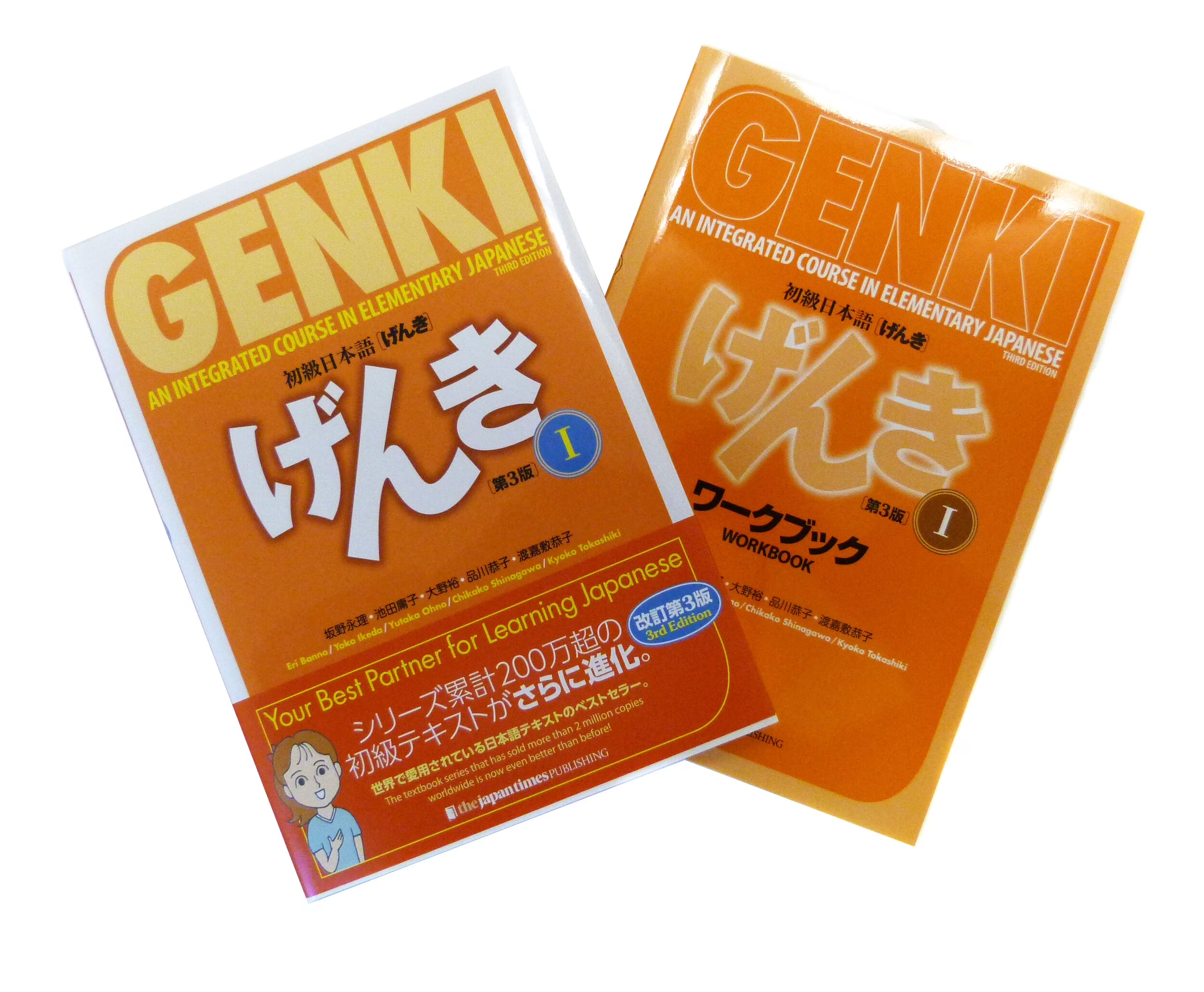
jpdb.io’s learning order is entirely determined by you, either through the general frequency list (most common words first) or through a specific media’s frequency list (words most common in that title first). If you’re working through Genki II and want your vocabulary SRS to reinforce what you’re encountering in the textbook, you can build that deck. If you’re watching a specific anime and want to study its vocabulary before each episode, you can do that too.
This flexibility is jpdb’s biggest advantage for learners who have a clear content target. It’s also its biggest challenge for learners who don’t, without a specific goal, “study whatever you want” can become “study nothing consistently.”
6. Interface, Usability, and Setup
WaniKani requires no setup. You create an account, start Level 1, and the platform handles everything else. The interface is clean, the review sessions work well on mobile and desktop, and the lesson/review structure is immediately intuitive. For learners who want to open a tab and start studying without any configuration, WaniKani delivers that.
jpdb.io has a steeper initial setup curve. The interface is functional but sparse, clearly the work of a developer rather than a design team. Getting the most out of jpdb involves understanding how to search for media, how to add frequency lists to your deck, how to configure the SRS settings, and how to use the browser extension for reading practice alongside the SRS. None of this is technically difficult, but it requires more upfront investment than WaniKani.
The jpdb browser extension is worth mentioning separately: it functions similarly to Yomitan (a browser extension that shows pop-up definitions for Japanese text you hover over), with the added ability to mark words as known or add them directly to your jpdb deck from any Japanese web page. For learners doing extensive online reading, it’s a genuinely useful tool.
7. Time, Cost, and Commitment
WaniKani
Time to complete: Twelve months minimum at maximum pace; two to three years at a realistic everyday pace. There is a hard speed limit, you cannot accelerate beyond what the SRS schedule allows.
Cost: Free trial for the first three levels. Beyond that: $9/month, $89/year, or $299 lifetime. The lifetime option is worth it for anyone planning to reach Level 60. At the average pace of two years, the annual subscription costs more than the lifetime purchase over that period.
Daily time commitment: Approximately 15 – 30 minutes at steady state, scaling up during periods of heavy new lesson intake.
jpdb.io
Time to complete: Entirely dependent on your goals and pace. There’s no fixed endpoint so you study until you’ve covered whatever you set out to cover.
Cost: Free for core features. An optional supporter tier exists (pricing varies) that unlocks additional features. The core SRS functionality is fully usable at no cost.
Daily time commitment: Similar to WaniKani, about 15 – 30 minutes of reviews at steady state, depending on how many new cards you add per day.
8. Self-Study Suitability
WaniKani suits self-studiers who:
- Want zero setup and zero curriculum decisions
- Find the gamified level progression motivating
- Are studying Japanese broadly without a specific content target yet
- Are comfortable paying for a managed, polished experience
jpdb.io suits self-studiers who:
- Have a specific content goal (a manga series, a game, a novel, a specific anime, etc) and want their vocabulary study tied directly to it
- Are already doing immersion-based study and want their SRS to feed from real content rather than a curated curriculum
- Prefer free tools or want to minimize subscription costs
- Are comfortable with a more utilitarian interface and some initial setup
The honest answer for many learners is that jpdb.io becomes more compelling at the intermediate stage, so once you have enough grammar and vocabulary to actually engage with native content and benefit from content-specific frequency lists. At the absolute beginner stage, WaniKani’s structured curriculum may be the more reliable way to build a foundation.
9. What Each Tool Doesn’t Do
WaniKani does not:
- Teach grammar. None, at any level.
- Allow you to customize learning order or add your own cards
- Teach handwriting. It’s recognition-based throughout
- Cover vocabulary outside its fixed 6,000-word set
jpdb.io does not:
- Provide kanji meaning mnemonics. You either create your own or learn through exposure
- Teach grammar
- Guarantee broad coverage. It is a content-specific deck will teach you words for that content, not necessarily the most broadly useful vocabulary first
- Provide the motivational scaffolding that WaniKani’s level system offers
Neither tool is a complete Japanese study system. Both need to run alongside grammar study, a textbook, Tae Kim’s free grammar guide, or BunPro for SRS-based grammar review.
What to Do After Finishing Genki 2?
10. The Anki Option: A Free Third Path
Any comparison of WaniKani and jpdb.io should acknowledge that a third option exists: Anki with a pre-built Japanese vocabulary deck.
The Kaishi 1.5k deck, the current community standard, replacing the older Core 2k deck, covers 1,500 high-frequency Japanese words with audio, example sentences, and kanji readings. It’s free, runs on free software, and covers the most important vocabulary for beginners efficiently.
Anki lacks WaniKani’s structure and jpdb’s media integration, but it costs nothing and is endlessly customizable. For learners who are comfortable managing their own SRS settings and don’t need a curated curriculum or content-specific frequency lists, it’s a legitimate alternative to both.
11. Side-by-Side Summary
| WaniKani | jpdb.io | |
|---|---|---|
| Core philosophy | Curated curriculum; platform decides | Content-based; you decide |
| Kanji taught | 2,000 (with explicit meaning mnemonics) | Implicit through vocabulary exposure |
| Vocabulary covered | ~6,000 fixed words | 280,000+ searchable; you choose what to study |
| Learning order | Fixed; non-negotiable | Fully customizable |
| Media frequency lists | No | Yes; thousands of anime, manga, novels |
| Mnemonics provided | Yes; built-in for every kanji | No; create your own or learn by exposure |
| Interface | Polished, beginner-friendly | Functional, utilitarian |
| Setup required | None | Moderate initial configuration |
| Grammar instruction | No | No |
| Mobile app | Yes | Browser-based; no dedicated app |
| Cost | $9/mo, $89/yr, $299 lifetime | Free (supporter tier optional) |
| Best for | Beginners who want structure | Intermediate learners with content goals |
12. Verdict by Learner Type
Choose WaniKani if:
- You’re a beginner without a specific content target yet and want a structured, managed kanji curriculum
- The gamified level system will keep you more accountable than a self-managed tool
- You want polished mnemonics provided for every kanji without having to create your own
- You’re comfortable paying for the convenience and structure
Choose jpdb.io if:
- You have a specific manga, anime, visual novel, or game you’re working through and want your SRS tied directly to it
- You’re at the intermediate stage and immersion is already part of your study routine
- Cost is a factor, jpdb’s core features are free
- You prefer to control your own learning order rather than follow a fixed curriculum
The case for switching mid-stream: If you’re currently on WaniKani and finding the fixed curriculum frustrating, particularly if you’ve started immersion study and the words you’re encountering in real content aren’t showing up in your WaniKani queue, jpdb is worth trying alongside or instead of it. Many learners use WaniKani through the mid-levels to build a kanji foundation, then transition to jpdb for content-specific vocabulary once they’re engaging with native material regularly.
Is jpdb.io really free?
The core SRS and media frequency list features are free. There’s an optional supporter tier with additional features, but most learners use jpdb without paying anything. Compared to WaniKani’s subscription model, the cost difference is significant.
Can I import my WaniKani progress into jpdb?
Not directl. The two systems use different card structures and learning orders. If you switch from WaniKani to jpdb mid-stream, the cleanest approach is to mark vocabulary you already know as known in jpdb (the platform has a “known words” feature) so it doesn’t resurface items you’ve already burned in WaniKani.
Does jpdb.io have a mobile app?
Not currently. jpdb is browser-based, which works on mobile but isn’t as smooth as a dedicated app. WaniKani has a better mobile experience out of the box, though third-party WaniKani apps like Jakeipuu and Tsurukame improve it further.
Is jpdb good for beginners?
It can be, but its advantages are more apparent at the intermediate stage. Beginners without a specific content target may find WaniKani’s structured curriculum easier to follow. Beginners who already have a specific anime or manga they’re motivated to understand can benefit from jpdb’s content-specific frequency lists from the start.
What’s the best WaniKani level to switch to jpdb?
There’s no universal answer, but a common pattern is staying with WaniKani through roughly Level 20–30, enough to build a solid kanji foundation, and then transitioning to jpdb for content-specific vocabulary as immersion becomes a larger part of the study routine. Some learners run both in parallel rather than switching entirely.
How does jpdb compare to Anki?
jpdb is essentially a more opinionated Anki. It provides the media frequency lists and a built-in database that Anki doesn’t, at the cost of less customization at the card level. For learners who want the content-based approach but don’t want to build and maintain their own Anki setup, jpdb is the more convenient option. For learners who want maximum control and don’t mind the configuration overhead, Anki with a manually curated deck is more flexible.
WaniKani and jpdb.io aren’t really competing for the same learner at the same moment. WaniKani is the better tool for building a kanji foundation when you don’t yet have a specific content target. jpdb is the better tool for connecting your vocabulary study to content you actually want to engage with. The most efficient path for many learners is both. Sequentially, not simultaneously.
Enjoying learning Japanese so far? We hope you are! Check out some of our other articles on Japanese to get even more info on how to become an expert Japanese learner!